Connect your agents. Check one change.
Free & MIT-licensed. Runs entirely on your machine. No account or telemetry. Reads your code; never executes it.
Requires Node.js ≥ 22. Zero required dependencies; optional parsers can improve extraction.
1. Map your project
Run this package command from the project directory. It creates .codeweb/graph.json and a supporting .codeweb/report.html.
npx -y @ghostlygawd/codeweb .For a temporary evaluation, use this npx command without a permanent installation.
2. Choose your client
Select the client that your agents use. Add the displayed entry to its configuration; preserve your other server entries.
Claude Code
Add the json entry to .mcp.json. Merge it with existing settings.
{
  "mcpServers": {
    "codeweb": {
      "command": "npx",
      "args": [
        "-y",
        "-p",
        "@ghostlygawd/codeweb",
        "codeweb-mcp"
      ]
    }
  }
}Cursor
Add the json entry to .cursor/mcp.json. Merge it with existing settings.
{
  "mcpServers": {
    "codeweb": {
      "command": "npx",
      "args": [
        "-y",
        "-p",
        "@ghostlygawd/codeweb",
        "codeweb-mcp"
      ]
    }
  }
}Windsurf
Add the json entry to ~/.codeium/windsurf/mcp_config.json. Merge it with existing settings.
{
  "mcpServers": {
    "codeweb": {
      "command": "npx",
      "args": [
        "-y",
        "-p",
        "@ghostlygawd/codeweb",
        "codeweb-mcp"
      ]
    }
  }
}Gemini CLI
Add the json entry to .gemini/settings.json. Merge it with existing settings.
{
  "mcpServers": {
    "codeweb": {
      "command": "npx",
      "args": [
        "-y",
        "-p",
        "@ghostlygawd/codeweb",
        "codeweb-mcp"
      ]
    }
  }
}Codex
Add the toml entry to ~/.codex/config.toml. Merge it with existing settings.
[mcp_servers.codeweb]
command = "npx"
args = ["-y","-p","@ghostlygawd/codeweb","codeweb-mcp"]
You can print the same recipe locally with npx -y @ghostlygawd/codeweb setup --client claude. The setup command does not write or replace configuration.
Claude Code plugin alternative
The plugin adds the /codeweb command, automatic pre-edit impact cards, and all 28 tools.
/plugin marketplace add GhostlyGawd/codeweb
/plugin install codeweb
Restart Claude Code, then run /codeweb in the project.
3. Check local setup
npx -y @ghostlygawd/codeweb doctorLocal success: Node is compatible, the local MCP server initializes, and the graph is present and fresh. The check does not confirm an editor connection.
For an explicit configuration check, supply the selected client and file. This inspects the entry without running commands from that file.
npx -y @ghostlygawd/codeweb doctor --client claude --config .mcp.jsonIf the graph is missing or stale, repeat step 1. If a required check fails, follow the named remedy and run doctor again.
4. Ask your agents one caller question
Restart your client or reload its MCP servers. In that client, ask:
Use codeweb_brief to inspect this project. Choose a function with callers.
Use codeweb_callers to list its callers with source locations.
Connection success: your client shows a successful codeweb_callers tool result with real source locations. Check one location against your source; a local doctor result alone cannot establish this connection.
For a controlled first query, create a temporary caller-check.mjs in an empty directory with this content, map that directory, and ask for the callers of greet.
export function greet(name) { return 'Hello ' + name; }
export function welcome() { return greet('Ada'); }
The expected caller is welcome. No target code is executed.
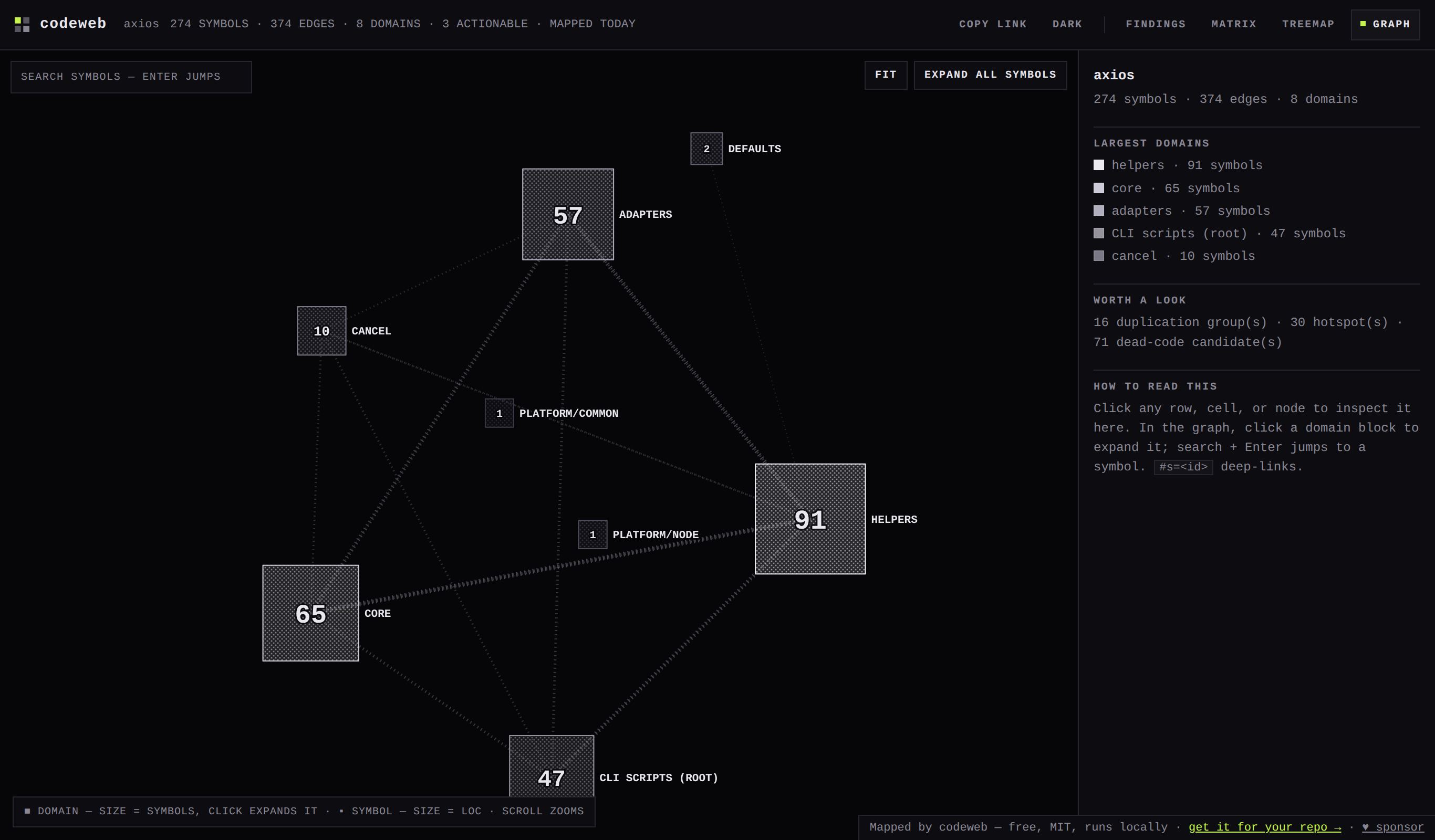
5. Review your change
From your Git project, use the package commands to inspect changed symbols and callers, then run the structural gate against a base ref that exists locally.
npx -y @ghostlygawd/codeweb .
npx -y @ghostlygawd/codeweb review .codeweb/graph.json --range origin/main --html .codeweb/review.html
npx -y @ghostlygawd/codeweb gate --base origin/main --target . --report-only
Open .codeweb/review.html to inspect the result. Without a prior graph supplied with --before, the review marks structural delta analysis as incomplete. The gate builds both snapshots from the Git base and working tree.
Report-only records the finding verdict without blocking on findings. Setup and analysis errors still fail; remove --report-only to block on structural regressions.
A passing check does not prove the program works. Inspect analysis limits and run the relevant tests. See gate setup.
Teach your agents the edit loop
Requires Codeweb 0.15.0 or later. Use the installed MCP server. For a terminal-only example, follow the npm quickstart below.
Paste this into AGENTS.md, GEMINI.md, or your client's rules file.
## codeweb — ask the map before and after every edit
This repo is mapped by codeweb (a deterministic call/import graph; 28 read-only MCP tools).
- Orient once per session: codeweb_brief. No symbol name yet? codeweb_find "<concept>".
- BEFORE editing: codeweb_refresh {baseline:true} once to save fresh pre-edit source.
- Before touching a symbol: codeweb_explain (one card), then codeweb_context (edit window)
  or codeweb_impact (blast radius); codeweb_dependents lists mapped users of it.
- Before writing a new function: codeweb_find_similar (does this exist?) and codeweb_placement.
- AFTER editing: codeweb_diff {before:"baseline",refresh:true}. If red, repair and repeat
  that same diff against the same baseline. Do not capture another baseline during repair.
  Ordinary/automatic refreshes preserve it; baseline:true replaces it for a new task.
- If status is inconclusive, inspect the diagnostic source locations; do not accept it as clean.
- Read analysis.checks: skipped is not passed. Refresh does not evaluate duplication;
  structural green does not prove behavior. Run the project tests too.
- A stale answer names codeweb_refresh; "no graph found" names codeweb_map. Follow the remedy.
Source checkout alternative
For contributors who work from this repository, clone CodeWeb and run its engine with an explicit target path.
git clone https://github.com/GhostlyGawd/codeweb.git
node codeweb/scripts/run.mjs /path/to/your/project
Package users can use the commands above. To map a directory named review, setup, doctor, or gate, use ./review, an absolute path, or codeweb -- review.
Map, edit, detect, repair
Requires Node.js ≥ 22, npm, and a POSIX shell. Run these four blocks in the same shell from any directory. They create a temporary project, install the pinned v0.16.0 package, and use its binaries; no Codeweb source checkout is needed.
Create two source files with one dependency. Codeweb analyzes them without executing them.
demo=$(mktemp -d "${TMPDIR:-/tmp}/codeweb-npm.XXXXXX") || exit 1
npm install --prefix "$demo/tools" --omit=optional --ignore-scripts --no-audit --no-fund @ghostlygawd/codeweb@0.16.0
export PATH="$demo/tools/node_modules/.bin:$PATH"
mkdir "$demo/project"
cd "$demo/project" || exit 1
printf 'import { beta } from "./b.js";\nexport function alpha() { return beta(); }\n' > a.js
printf 'export function beta() { return 1; }\n' > b.js
codeweb .The caller list contains a.js:alpha. Save this pre-edit graph outside the generated workspace.
codeweb-query --callers beta --json
cp .codeweb/graph.json before.json
# An intervening rebuild leaves the saved baseline alone.
codeweb . --fullAdd the reverse dependency and rebuild the full map. The diff should report a new cycle and exit 1.
printf 'import { alpha } from "./a.js";\nexport function beta() { return alpha(); }\n' > b.js
codeweb . --full
codeweb-diff before.json .codeweb/graph.json --jsonRemove the reverse dependency and compare against the same before.json. Expect exit 0 and ok:true. Keep the saved baseline unchanged throughout repair.
printf 'export function beta() { return 1; }\n' > b.js
codeweb . --full
codeweb-diff before.json .codeweb/graph.json --json
This walkthrough compares full-pipeline maps, including overlap analysis, within extracted-graph coverage. The diff flags new cycles, body-confirmed duplication findings, and existing non-exported symbols that become orphans. Exported symbols are exempt from its orphan check. Structural green does not prove behavioral correctness; run your project’s tests.
Known unsupported same-line declarations make the gate inconclusive (exit 2); inspect the diagnostic locations. Step 3 deliberately exits 1. In an automated shell with set -e, handle that expected status before continuing to repair. The temporary directory remains available for inspection at $demo.
A tiny cycle: red → repair → green
Source-checkout example for Codeweb 0.15.0 or later, with Node.js ≥ 22 and a POSIX shell. These commands create a temporary target. The npm quickstart above works without a source checkout.
demo=$(mktemp -d "${TMPDIR:-/tmp}/codeweb-cycle.XXXXXX") || exit 1
printf 'import { beta } from "./b.js";\nexport function alpha() { return beta(); }\n' > "$demo/a.js"
printf 'export function beta() { return 1; }\n' > "$demo/b.js"
node scripts/run.mjs "$demo"
node scripts/refresh.mjs "$demo/.codeweb/graph.json" --baseline
node scripts/query.mjs "$demo/.codeweb/graph.json" --callers beta --json
# Expected caller: alpha. Introduce beta → alpha, closing the cycle.
printf 'import { alpha } from "./a.js";\nexport function beta() { return alpha(); }\n' > "$demo/b.js"
node scripts/diff.mjs baseline "$demo/.codeweb/graph.json" --refresh
# Red: exit 1, REGRESSIONS, a new cycle. Repair without replacing the baseline.
printf 'export function beta() { return 1; }\n' > "$demo/b.js"
node scripts/diff.mjs baseline "$demo/.codeweb/graph.json" --refresh
# Green: exit 0, no structural regressions against the SAME pre-edit baseline.
With an MCP client targeting this map, the equivalent calls are codeweb_refresh {baseline:true} before the edit and codeweb_diff {before:"baseline",refresh:true} after the edit and repair. Keep the same baseline throughout.
Read the analysis lines (or analysis.checks in JSON): duplication is not evaluated after refresh drops overlap evidence; behavior is never evaluated by this structural check.
Optional parsers may be absent; this JavaScript example works with the built-in fallback. A green result applies to the extracted graph, not runtime correctness. Run your product tests. Missing baseline? Recover pre-edit source before capturing it again; edited source cannot reconstruct the original.